
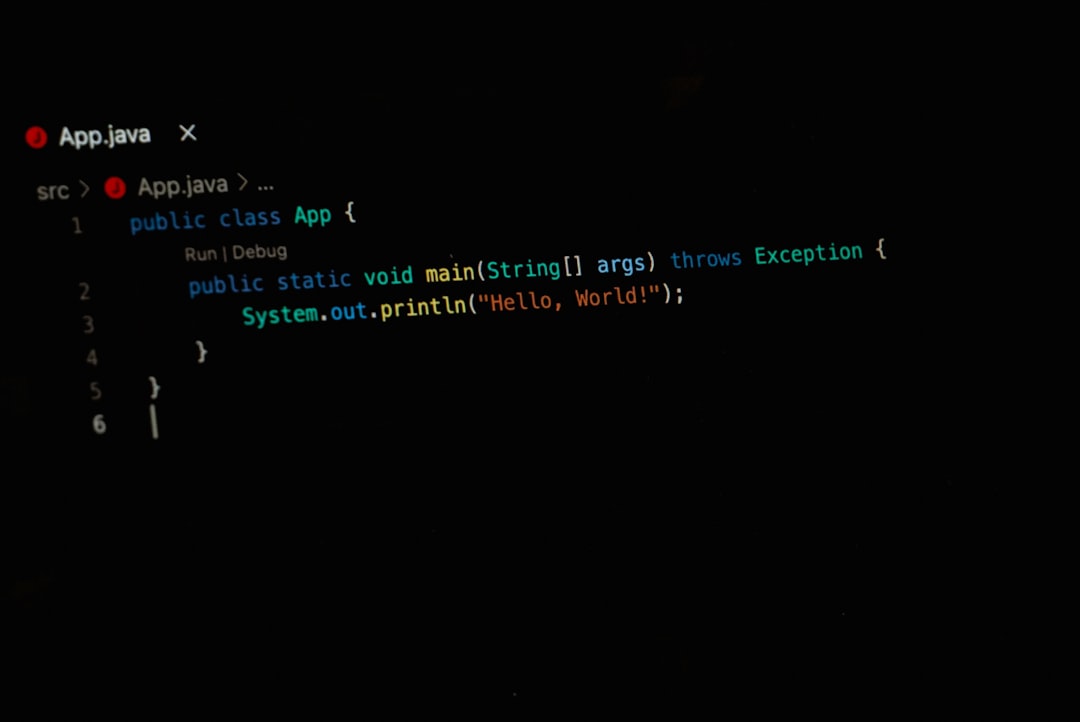
jQuery is a JavaScript library that makes common web tasks shorter, easier, and less annoying. JavaScript is the actual programming language. jQuery is a tool built with that language. Even now, jQuery still shows up on a huge number of websites, with W3Techs tracking it on more than 70% of sites that use a known JavaScript library [source: W3Techs].
TLDR: JavaScript is the engine. jQuery is a shortcut kit for that engine. For example, a small business site with 8 buttons, 3 popups, and 1 contact form may use jQuery to write those interactions faster, often with fewer lines of code. If you are building a fresh app in 2026, plain JavaScript is usually the better default. If you are fixing an older site, jQuery may still save your afternoon.
So, What Is jQuery?
jQuery is a small JavaScript library. It was created to make web development feel less painful.
Back in the older browser days, JavaScript could be a mess. One browser did things one way. Another browser acted like it had never heard of rules. It drove developers slightly wild.
jQuery helped by giving everyone a cleaner, shorter way to do common things.
- Select parts of a web page.
- Change text and styles.
- Hide and show elements.
- React to clicks.
- Send data without reloading the page.
- Add simple animations.
Here is the fun way to think about it.
JavaScript is the full kitchen. You get the oven, knives, pans, and a sink full of dishes.
jQuery is a box of pre cut vegetables. It does not cook the meal for you. But it can make a quick dinner much faster.
jQuery vs JavaScript: The Simple Difference
JavaScript is a programming language. Browsers understand it directly.
jQuery is written in JavaScript. Browsers do not need it. Developers add it when they want its shortcuts.
So this is not really a fight between two equal things. It is more like this:
- JavaScript: The language.
- jQuery: A helper library for that language.
That means you can write JavaScript without jQuery. But you cannot use jQuery without JavaScript.
A Tiny Code Example
Let’s say you want to hide a box when someone clicks a button.
With jQuery:
$("#button").click(function() {
  $("#box").hide();
});
With modern JavaScript:
document.querySelector("#button").addEventListener("click", function() {
  document.querySelector("#box").style.display = "none";
});
The jQuery version is shorter. It reads nicely. It feels friendly.
But modern JavaScript has caught up a lot. Years ago, jQuery felt like magic. Now, plain JavaScript can do many of the same jobs without extra files.
Why Developers Loved jQuery
jQuery became popular for very good reasons.
- It was easy to learn. The syntax was simple.
- It worked across browsers. This was a huge deal.
- It made pages interactive fast. Clicks, menus, tabs, and sliders were easier.
- It had tons of plugins. Need a carousel? Someone made one. Need a date picker? Done.
- It helped beginners. People could make cool things quickly.
Honestly, it felt like finding a secret cheat code. You could turn a boring page into a clicky, slidey, sparkly web page with just a few lines.
Why jQuery Is Less Popular for New Projects
jQuery is still useful. But it is no longer the first pick for many new websites and apps.
The main reason is simple. JavaScript got better.
Modern JavaScript can now select elements, handle events, fetch data, and update pages in clean ways. Browsers also follow standards much better than they used to. Thank goodness. Expect to waste far less time fighting old browser quirks than developers did in 2010.
Also, many teams now use tools like React, Vue, Svelte, or Angular. These tools handle user interfaces in a different way. Mixing jQuery into them can create weird bugs. Nobody wants a button that works on Monday and ghosts you on Tuesday.
When jQuery Still Makes Sense
Do not throw jQuery into the trash. That would be dramatic.
jQuery still makes sense in some cases.
- You are maintaining an older website. Rewriting everything may be risky.
- You need a quick fix. A small click effect may not need a full framework.
- Your site already uses jQuery. Adding one more jQuery feature may be practical.
- You use older plugins. Some trusted plugins still depend on it.
- You are learning the basics. It can help you understand page interaction.
Picture a local restaurant website. It has a menu page, a photo gallery, and a reservation form. If the site already loads jQuery, using it for a simple image popup is fine. Rebuilding the whole thing with a modern framework would be overkill.
When Plain JavaScript Is Better
Plain JavaScript is often the smarter choice for new work.
- No extra library file. That can mean less page weight.
- Better long term skills. JavaScript knowledge transfers everywhere.
- Cleaner modern code. Browser APIs are much nicer now.
- Better fit with modern frameworks. React and Vue do not need jQuery.
- Less dependency risk. Fewer packages means fewer update headaches.
JavaScript is also where the real learning happens. If you understand JavaScript well, jQuery becomes easy. If you only know jQuery, plain JavaScript may feel strange at first.
That is like learning to drive only in a parking lot. Nice start. Not enough for the highway.
Is jQuery Bad?
No. jQuery is not bad. It is just older.
Some developers like to mock it. That is unfair. jQuery helped shape the web. It made interactive pages easier for millions of people.
But using jQuery for every new project can be a bad habit. If plain JavaScript can do the job cleanly, use plain JavaScript. If jQuery is already there and saves time, use it with care.
The trick is not picking sides like a sports fan. The trick is picking the right tool.
Quick Comparison
| Feature | JavaScript | jQuery |
|---|---|---|
| What it is | A programming language | A JavaScript library |
| Runs in browser | Yes, directly | Yes, after loading jQuery |
| Best for | New sites, apps, core skills | Older sites, quick effects, legacy plugins |
| Learning value | Very high | Useful, but narrower |

Which One Should You Learn First?
Learn JavaScript first.
Then learn enough jQuery to read it and fix it. That order makes life easier.
If you work on websites for clients, you will likely meet jQuery sooner or later. It hides in themes, plugins, admin pages, sliders, forms, and old codebases. Sometimes it pops up like a raccoon in a garage.
But if you want to build modern web apps, JavaScript is the better base. Add HTML, CSS, browser APIs, and maybe one modern framework after that.
The Final Verdict
jQuery is a helpful shortcut library for JavaScript. It made web development simpler when browsers were harder to work with. It still has a place, especially on older sites.
JavaScript is the main skill. It is what the browser understands. It is what modern tools build on. It gives you more control.
Use jQuery when it saves time on an existing site. Use JavaScript when you are building something new. That simple rule will keep your code lighter, cleaner, and much less grumpy.