
Managing a credit card account should be secure, simple, and predictable. The Credit One Bank mobile app is designed to help cardholders access their accounts, review balances, make payments, monitor activity, and stay informed without relying only on desktop banking. While exact features can vary by account type, device, and app version, the login app experience generally focuses on convenience, account visibility, and security.
TLDR: The Credit One Bank login app gives cardholders a practical way to manage their credit card account from a mobile device. Its strongest features include secure sign-in, balance and transaction access, payment tools, alerts, statements, and account management options. For responsible cardholders, the app can help reduce missed payments, improve awareness of spending, and make routine account tasks easier.
1. Secure Login and Account Access
The most important feature of any financial app is a trustworthy login process. The Credit One Bank app allows users to sign in to their account using their registered username and password. Depending on the device and app settings, users may also be able to use biometric login, such as fingerprint or facial recognition, for faster access.
This is useful because it combines speed with security. Instead of typing credentials every time, eligible users can verify identity through their device’s built-in authentication tools. However, it remains important to keep the device locked with a strong passcode and to avoid sharing login credentials with others.
A reliable login process is not only about convenience; it is a key part of protecting financial information. Cardholders should always download the app from official sources, such as the Apple App Store or Google Play, and avoid entering account credentials through links in suspicious emails or text messages.
2. Clear Account Dashboard
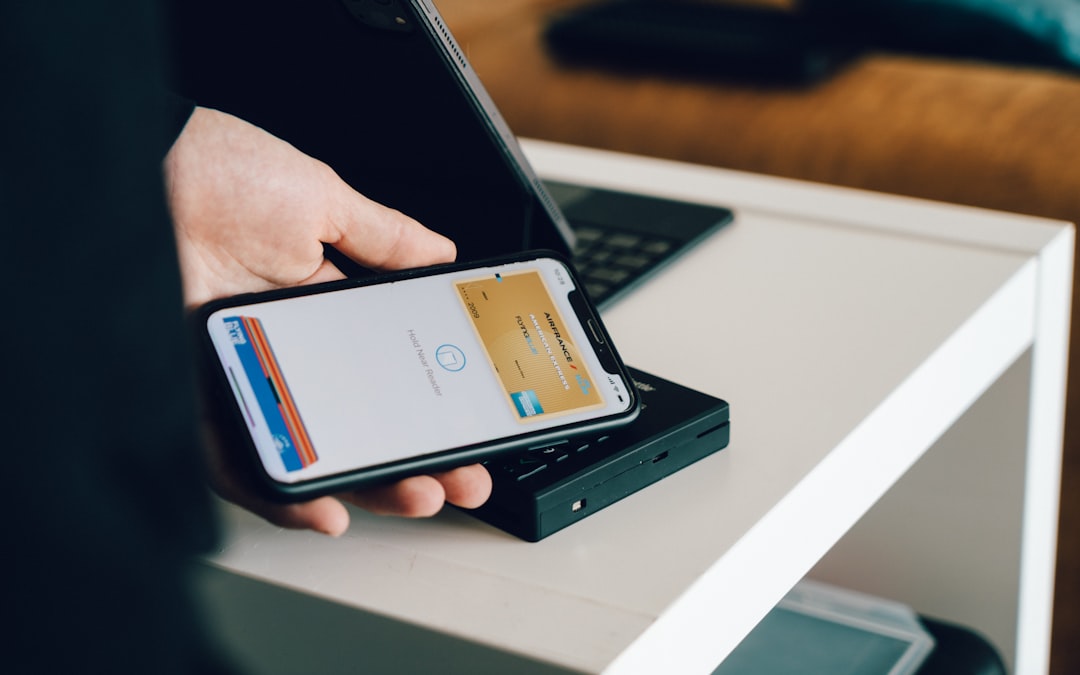
After logging in, users are typically taken to an account dashboard. This dashboard is one of the most valuable parts of the app because it provides a quick summary of important account details. A well-organized dashboard can help cardholders understand their current financial position without searching through multiple screens.
Common dashboard information may include:
- Current balance
- Available credit
- Minimum payment due
- Payment due date
- Recent transactions
- Account status updates
This type of overview is especially helpful for people who regularly use their Credit One Bank card for purchases. By checking the dashboard often, cardholders can identify unexpected charges, watch their credit utilization, and plan upcoming payments more effectively.
3. Payment Management Tools
One of the best reasons to use the Credit One Bank login app is the ability to manage payments from a mobile device. Instead of waiting to use a computer or mailing a payment, users can typically make a payment directly through the app.
The payment section may allow cardholders to:
- Make a one-time payment
- Choose a payment amount
- Select or manage a funding account
- Review scheduled payments
- Check recent payment activity
For many cardholders, this feature can help reduce the risk of late payments. Late payments may result in fees and can affect credit health, so having mobile access to payment options is a serious advantage. Users should still pay close attention to processing times, payment cutoffs, and confirmation messages. A submitted payment is not always the same as a fully processed payment.
Practical tip: After making a payment, review the confirmation details and save or screenshot the confirmation number if available. This can be useful if there is ever a question about whether the payment was submitted.
4. Due Date and Account Alerts
Notifications and alerts are among the most practical app features for credit card management. The Credit One Bank app may provide account alerts related to payment due dates, posted payments, transactions, balance changes, or account activity. These alerts can help users stay informed and respond quickly if something looks unusual.
Alerts are valuable because they support better financial habits. A reminder before a payment due date may help prevent accidental late payments. Transaction alerts can also assist with fraud awareness by making it easier to notice charges that the cardholder does not recognize.
Cardholders should review their notification preferences carefully. In many cases, alerts can be sent through push notifications, emails, or text messages, depending on account settings and available options. Keeping contact information current is essential so important alerts are not missed.
5. Transaction Monitoring
The ability to review recent transactions is another important feature of the Credit One Bank login app. Cardholders can usually see purchases, payments, fees, credits, and other account activity. This makes it easier to track spending and notice problems early.
Transaction monitoring can support responsible credit card use in several ways:
- Budget awareness: Users can see how much they have charged during the billing cycle.
- Fraud detection: Unrecognized transactions can be spotted sooner.
- Payment planning: Cardholders can estimate how much they may want to pay before the statement closes.
- Dispute preparation: Reviewing transaction details can help users gather information if a charge needs to be questioned.
It is wise to check transactions regularly, not only at the end of the month. Frequent review can reduce surprises and help cardholders maintain control over account activity.
6. Credit Score and Credit Health Features
Some Credit One Bank accounts may provide access to credit-related information through the app or online account center. This may include a credit score feature or credit education tools, depending on eligibility and available services. If offered, this can be a useful way to monitor changes over time.
Credit score tools should be viewed as educational resources rather than a guarantee of lending decisions. Different lenders may use different scoring models, and a score shown in an app may not be identical to the score used for a specific loan application. Still, regular monitoring can help users understand how payment history, balances, and account activity may relate to credit health.
Responsible use of the app can support responsible use of credit. Paying on time, keeping balances manageable, and reviewing account details consistently are all habits that may contribute to stronger financial management.
7. Statements and Document Access
The app may also allow users to review billing statements and important account documents. Electronic statement access is useful for cardholders who want to confirm charges, review interest, check fees, or keep records for personal budgeting.
Statements provide more complete information than a quick dashboard summary. They usually show the statement balance, minimum payment, payment due date, interest charges, fees, credits, and transactions during the billing cycle. Reviewing statements carefully helps cardholders understand the true cost of carrying a balance and the importance of paying on time.
Users who choose paperless statements should make sure their email address and mobile number are current. They should also maintain secure access to the app so they can retrieve statements when needed.
8. Rewards and Offers Visibility
Many Credit One Bank cards include benefits such as cash back rewards or account offers, depending on the specific card. The mobile app may provide a convenient place to review rewards activity, benefit details, or promotional information. This helps cardholders understand what value they may be earning from eligible purchases.
Rewards should be treated as a secondary benefit, not a reason to overspend. The best value comes when cardholders use the card for planned purchases and pay attention to interest charges and fees. If a balance is carried, interest may outweigh the value of rewards.
A serious approach to rewards means earning benefits without losing sight of the overall account cost.
9. Card Activation and Account Maintenance
The Credit One Bank app may also support basic account maintenance tasks. These can include activating a new card, updating personal information, managing communication preferences, or reviewing account settings. Having these tools available in the app can reduce the need to call customer service for routine changes.
However, sensitive changes may require additional verification. This is a normal security practice. If the app asks for identity confirmation, users should follow the official process carefully and avoid providing personal information through unofficial channels.
Account maintenance features are particularly helpful after receiving a replacement card, changing an address, or needing to update contact details. Accurate account information helps ensure statements, alerts, and security notices reach the cardholder promptly.
10. Customer Service and Support Access
Another useful app feature is access to support information. The app may provide contact options, help topics, FAQs, or links to customer service resources. For common questions about payments, login problems, card activation, or account details, these support tools can save time.
When contacting support, users should be prepared to verify their identity. This protects the account from unauthorized access. Cardholders should also be cautious of third-party phone numbers or websites that claim to represent Credit One Bank. For sensitive account issues, it is best to use contact information found inside the official app or on the official website.
Image not found in postmeta
11. Usability and Mobile Convenience
A strong banking app should not only offer features; it should make those features easy to use. The Credit One Bank app is intended to centralize important credit card tasks in one place. For users who prefer mobile account management, this can be more efficient than logging in through a browser each time.
Convenience matters because financial tasks are easier to complete when access is simple. A cardholder who can check a due date in seconds is less likely to forget it. A user who can review transactions quickly is more likely to notice unusual activity. A payment option available on a phone can be especially helpful while traveling or away from a desktop computer.
Security Best Practices for Using the App
Even a well-designed app depends on responsible user behavior. Cardholders should take basic precautions to protect their account and personal information.
- Use only the official app from trusted app stores.
- Create a strong password that is not reused on other sites.
- Enable biometric login if available and appropriate.
- Keep the mobile device updated with current security patches.
- Avoid public Wi Fi when accessing financial accounts.
- Log out when needed, especially on shared or less secure devices.
- Monitor alerts and report suspicious activity promptly.
These habits help strengthen the protection already built into the app and reduce the risk of unauthorized account access.
Final Thoughts
The best Credit One Bank login app features are the ones that help cardholders manage their accounts with greater confidence. Secure sign-in, account dashboards, payment tools, alerts, transaction history, statements, rewards visibility, and support access all serve practical purposes. Together, they can make credit card management more organized and less stressful.
For the best experience, cardholders should keep the app updated, review account information regularly, and use security settings carefully. The app should not replace responsible financial decision-making, but it can be a valuable tool for staying informed, making timely payments, and maintaining better control over a Credit One Bank credit card account.