
QR codes are everywhere. On menus. On posters. On business cards. But not all QR codes are created equal. If you want flexibility, tracking, and control, dynamic QR codes are the way to go. And that is where TQRCG comes in. It makes creating and managing dynamic QR codes simple, fast, and even a little fun.
TLDR: Dynamic QR codes let you change the destination link without reprinting the code. TQRCG makes it easy to create, track, and manage these codes in one place. You can edit links anytime, monitor scans, and use them for marketing, events, or business growth. If you want smarter QR codes, TQRCG is a great tool to start with.
What Is a Dynamic QR Code?
First, the basics.
A static QR code is fixed. Once you create it, the embedded link cannot be changed. If you printed 5,000 flyers and entered the wrong URL, that is a problem.
A dynamic QR code is flexible. The code contains a short redirect link. You can change the final destination anytime. The printed code stays the same. The content behind it can evolve.
That means:
- You can fix mistakes.
- You can update promotions.
- You can track performance.
- You can reuse the same code forever.
That is power.
Why Use TQRCG?
TQRCG is built for simplicity. You do not need technical skills. You do not need coding knowledge. You just need an idea.
Here is why people like it:
- Easy dashboard. Clean and intuitive.
- Editable links. Change URLs anytime.
- Scan tracking. See who scanned and when.
- Custom design options. Add colors and logos.
- Multiple QR types. URL, PDF, menu, social links, and more.
It takes minutes to get started.
How Dynamic QR Codes Work
Let’s break it down in simple terms.
When you create a dynamic QR code in TQRCG:
- You enter your destination link.
- TQRCG creates a short redirect URL.
- That redirect is embedded inside the QR code.
- Users scan the code.
- TQRCG records the scan.
- The system forwards users to your chosen destination.
If you later change the destination, you update it in your dashboard. The QR code image does not change.

Simple on the outside. Smart on the inside.
Step-by-Step: Creating a Dynamic QR Code with TQRCG
Ready to try it? Here is how it works.
Step 1: Choose Your QR Type
Log in to TQRCG. Select the type of QR code you want to create.
Examples include:
- Website URL
- PDF download
- Restaurant menu
- Business page
- App store link
Pick the one that matches your goal.
Step 2: Enter Your Content
If it is a website, paste the URL. If it is a PDF, upload the file. If it is a menu, fill in your dishes.
Make sure everything is correct. Even though you can edit later, starting clean is always nice.
Step 3: Customize the Design
This is the fun part.
You can:
- Change the color of the QR code.
- Add your logo in the center.
- Adjust the frame and call-to-action text.
- Pick patterns for the corners and body.
Want a red QR code with your coffee shop logo? Go for it.

Just remember: keep enough contrast so people can scan it easily.
Step 4: Generate and Download
Click generate. Download your QR code in high resolution. Use it on:
- Posters
- Flyers
- Business cards
- Product packaging
- Social media
You are live.
Editing Your Dynamic QR Code
This is where dynamic codes shine.
Let’s say you created a QR code for a summer sale. The sale ends. Now what?
Instead of throwing away your printed materials, you simply:
- Open your TQRCG dashboard.
- Select the QR code.
- Edit the destination link.
- Save changes.
Done. The next person who scans it sees the updated content.
No reprinting. No stress.
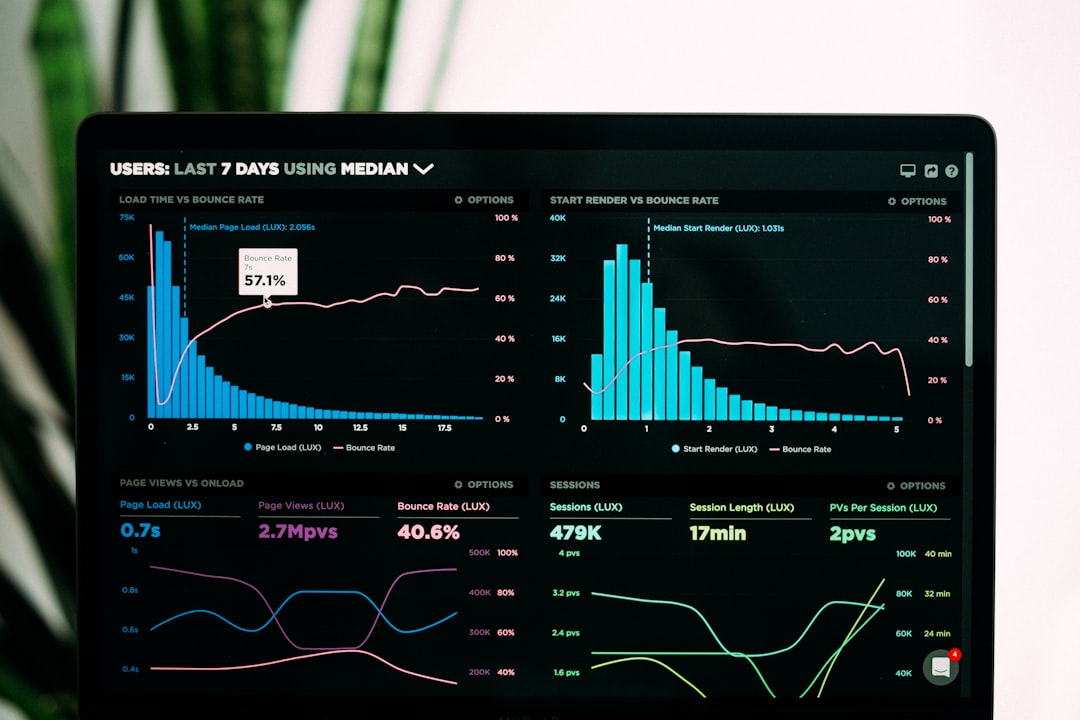
Tracking and Analytics
Dynamic QR codes are not just flexible. They are smart.
TQRCG provides scan data such as:
- Total number of scans
- Scan location (by country or city)
- Device type used
- Time and date of scans
This is marketing gold.
You can learn:
- Which flyers work best.
- Which locations perform better.
- What time your audience engages most.
Data helps you improve. Without guessing.
Popular Use Cases
Dynamic QR codes with TQRCG can be used almost anywhere. Let’s explore some fun ideas.
1. Restaurants
- Create a digital menu.
- Update prices anytime.
- Add seasonal dishes without reprinting tables.
2. Real Estate
- Place QR codes on signs.
- Link to property listings.
- Update the link when a property is sold.
3. Events
- Share agendas.
- Update speaker lineups.
- Link to live streams.
4. Retail
- Connect to product videos.
- Link to discount pages.
- Redirect to new product versions later.
5. Business Cards
- Link to your portfolio.
- Update contact info anytime.
- Switch to a new website without printing new cards.
One small square. Endless flexibility.
Dynamic vs Static QR Codes
Let’s make it crystal clear.
| Feature | Dynamic QR Code | Static QR Code |
|---|---|---|
| Edit Destination | Yes | No |
| Track Scans | Yes | No |
| Best for Marketing | Excellent | Limited |
| Suitable for Permanent Info | Yes | Yes |
| Requires Dashboard Access | Yes | No |
If you only need a permanent link and zero tracking, static may work.
If you want flexibility and insights, dynamic wins.
Tips for Better Results
Creating a QR code is easy. Making it effective takes thought.
Keep It Visible
Do not hide your QR code in a corner. Make it easy to spot.
Add a Call to Action
Tell people what they get. For example:
- Scan for 20% off
- View the full menu
- Watch the demo
People like clarity.
Test Before Printing
Always scan your code with multiple devices. Check loading speed. Fix issues early.
Use High Contrast
Light QR codes on light backgrounds are risky. Dark on light works best.
Track and Improve
Look at the analytics. Adjust campaigns. Change links if needed.
Security and Control
With TQRCG, you manage everything from one dashboard.
You can:
- Pause a QR code.
- Edit content instantly.
- Organize codes into folders.
- Manage multiple campaigns at once.
This level of control is perfect for teams and growing businesses.
Is It Worth It?
If you print materials regularly, yes.
If you run marketing campaigns, yes.
If you want insights into customer behavior, absolutely.
Dynamic QR codes reduce waste. They increase flexibility. They bring data into offline marketing.
And with TQRCG, the process feels smooth rather than technical.
Final Thoughts
Dynamic QR codes are not just trendy squares. They are smart tools. They bridge offline and online worlds. They turn posters into interactive portals. They turn packaging into digital experiences.
TQRCG makes this technology accessible. Simple dashboard. Clear analytics. Easy editing. Strong customization.
You create once. You update anytime. You track everything.
That is the beauty of dynamic QR codes.
And once you start using them, going back to static feels… well, static.