
In recent years, the rise of no-code development platforms has fundamentally changed how businesses and individuals build software. Among these platforms, tools like Glide have emerged as powerful solutions that allow users to transform simple spreadsheets into fully functional mobile and web applications. What once required teams of developers, significant budgets, and months of implementation can now be achieved in days—or even hours—without writing a single line of code.
TLDR: No-code app builders like Glide enable users to create powerful apps directly from spreadsheets without technical expertise. These platforms connect to familiar data sources such as Google Sheets or Airtable and turn structured information into dynamic, user-friendly apps. They reduce development costs, accelerate deployment, and empower non-technical teams. However, businesses should evaluate scalability, customization limits, and long-term data strategies before committing.
The increased adoption of no-code tools reflects a broader shift toward accessibility and operational agility. As digital transformation becomes a priority across industries, organizations are looking for faster and more cost-effective ways to deploy internal tools, customer portals, and data-driven applications.
What Are No-Code App Builders?
No-code app builders are platforms that enable users to create software applications through visual interfaces rather than programming. Instead of writing code, users configure logic, workflows, and interfaces using drag-and-drop components and structured data.
Platforms like Glide specifically focus on converting spreadsheets into apps. A spreadsheet acts as a database, while the no-code interface transforms rows and columns into interactive screens and workflows.

This model appeals to a wide audience:
- Small businesses needing internal tools
- Startups building minimum viable products (MVPs)
- Enterprises automating workflows
- Nonprofits and educators managing resources and programs
Because spreadsheets are already widely used and understood, the transition to app development feels natural and accessible.
How Glide and Similar Platforms Work
At their core, spreadsheet-based app builders follow a consistent process:
- Connect a data source (Google Sheets, Excel, Airtable, or native tables).
- Automatically generate app screens based on the structure of the data.
- Customize layouts and components such as lists, forms, charts, and buttons.
- Define logic and user permissions through visual workflows.
- Publish the app to web or mobile environments.
This streamlined workflow significantly reduces the technical barrier. Instead of managing databases, servers, and APIs manually, users focus on structuring their data correctly and defining how users interact with it.
For example, a company can turn an inventory spreadsheet into a searchable product management app. Each row becomes an item, images can be attached, filters applied, and updates reflected in real time.
Key Benefits of Spreadsheet-Based App Builders
1. Speed of Deployment
Traditional software development cycles can take months. No-code builders dramatically shorten this period. In many cases, a functional prototype can be launched within a single day.
2. Reduced Development Costs
By eliminating the need for specialized developers, organizations cut significant labor expenses. While subscription fees apply, they are typically far lower than hiring custom development teams.
3. Accessibility for Non-Technical Users
Business analysts, operations managers, and marketing teams can build tools independently. This reduces reliance on IT departments and accelerates internal innovation.
4. Real-Time Data Synchronization
Because apps are connected directly to spreadsheets or cloud databases, updates are reflected instantly. This makes these tools particularly suitable for inventory tracking, CRM systems, event management, and internal dashboards.
5. Iterative Improvement
Changes can be deployed immediately without code refactoring. Teams can test features, gather feedback, and adjust layouts rapidly.
Common Use Cases
Spreadsheet-powered apps are versatile. Some of the most common applications include:
- Internal employee directories
- Customer relationship management systems
- Field data collection apps
- Membership or community portals
- Project management dashboards
- E-commerce catalogs
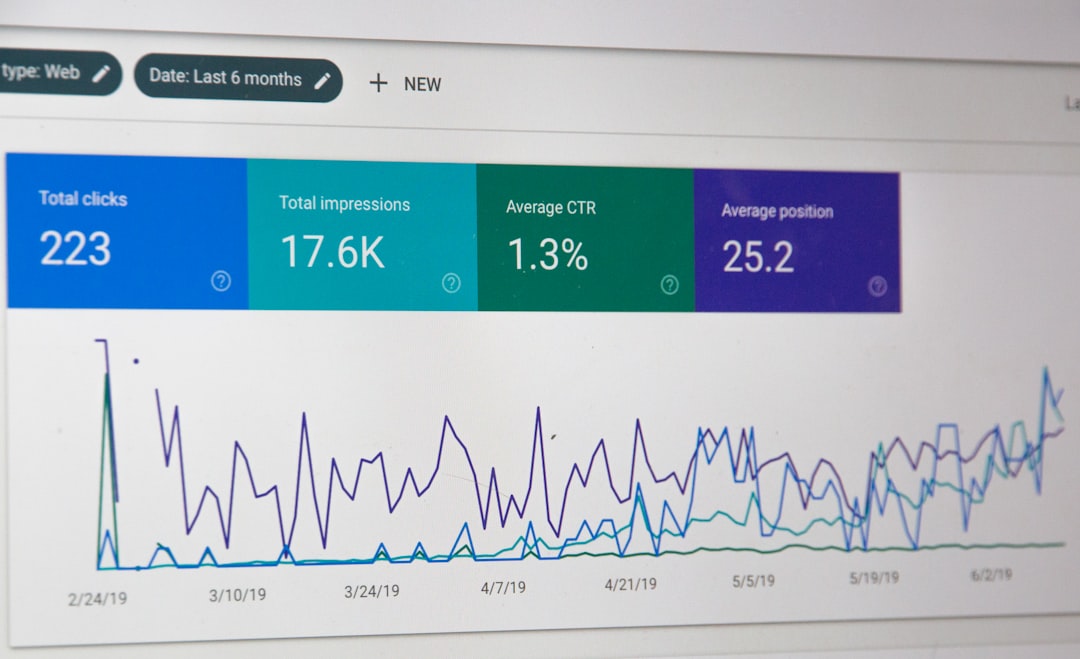
A field service company, for instance, can build a task management system where technicians log updates from mobile devices. Meanwhile, the office headquarters monitors progress through the connected spreadsheet.
Leading No-Code Tools That Use Spreadsheets
Several platforms offer spreadsheet-based or spreadsheet-integrated app creation. Below is a comparison of some of the leading tools in this category.
| Platform | Primary Data Source | Best For | Ease of Use | Scalability |
|---|---|---|---|---|
| Glide | Google Sheets, Excel, Glide Tables | Internal tools, MVPs, small to mid-sized businesses | Very High | Moderate to High |
| Softr | Airtable, Google Sheets | Client portals, marketplaces | High | Moderate |
| AppSheet | Google Sheets, Excel, SQL databases | Enterprise workflows | Moderate | High |
| Stacker | Airtable, Google Sheets | Data-driven internal tools | Moderate | Moderate |
Each platform offers a slightly different balance between ease of use and customization. Glide is often praised for its clean interface and rapid development speed, while AppSheet provides deeper enterprise-level integrations.
Limitations and Considerations
Despite their advantages, spreadsheet-based no-code builders are not suitable for every scenario.
1. Performance Constraints
Spreadsheets are not optimized for extremely large datasets or complex relational queries. Apps handling millions of records may experience latency.
2. Limited Customization
While templates accelerate development, they can restrict advanced customization. If highly unique user interfaces or complex backend logic are required, traditional development might be necessary.
3. Data Governance and Security
Organizations must ensure that sensitive data is protected. Role-based permissions, compliance requirements, and audit trails should be carefully evaluated before deployment.
4. Vendor Dependency
Relying on a single no-code provider introduces platform risk. It is important to understand export options, pricing scalability, and long-term viability.
Best Practices for Successful Implementation
To maximize the value of no-code app builders, organizations should follow several best practices:
- Structure data carefully before building — Clean, well-organized spreadsheets reduce errors.
- Define clear user roles — Establish permission levels early.
- Start with a focused use case — Build a manageable MVP before expanding.
- Test with real users — Gather feedback and iterate quickly.
- Plan for scalability — Consider whether you may eventually migrate to a more robust backend.
Organizations that treat no-code development strategically—rather than as a quick fix—often achieve the best long-term outcomes.
The Strategic Impact of No-Code Development
No-code platforms are not simply convenience tools; they represent a shift in how software is conceptualized and deployed. By democratizing development, they allow subject-matter experts to translate operational knowledge directly into working systems.
This transformation has several strategic implications:
- Faster innovation cycles
- Decentralized problem solving
- Reduced IT bottlenecks
- Greater experimentation with digital products
However, businesses should balance speed with governance. Establishing internal standards and oversight mechanisms ensures that rapid app creation does not result in fragmented or insecure systems.
Conclusion
No-code app builders like Glide have made application development accessible to a broader audience than ever before. By turning spreadsheets into dynamic apps, these platforms enable businesses to launch tools quickly, reduce costs, and empower non-technical teams. Their strength lies in simplicity, speed, and practical functionality.
At the same time, organizations must evaluate performance limits, customization needs, and data governance requirements. When implemented thoughtfully, spreadsheet-based no-code development can serve as a powerful complement to traditional software engineering—accelerating innovation without compromising strategic oversight.
As digital agility becomes a defining characteristic of competitive organizations, no-code platforms are poised to play an increasingly important role in shaping how software is built, deployed, and managed.